How to create a prospect list using a LinkedIn search URL?
A LinkedIn Search URL is one of the easiest ways to bring prospects into Flowkon. Simply create a search on LinkedIn, copy the search URL, and use it to build a prospect list for your campaign.
You can use this feature to find new people you'd like to connect with or to import existing 1st-degree connections for follow-up campaigns.
Import limits
Flowkon can import up to 1,000 profiles per prospect list. If your LinkedIn search returns more than that, it's a good idea to narrow down your audience by using filters such as location, industry, job title, company size, or seniority. Breaking a large search into smaller segments also makes your outreach more targeted and easier to personalize.
Using a free LinkedIn account
If you're using a non-premium LinkedIn account, you may occasionally run into LinkedIn's monthly search visibility limits. When this happens, LinkedIn hides a portion of the search results, which means Flowkon can only import the profiles that are currently visible to your account.
If you notice that a search URL is importing fewer prospects than expected, this is often the reason. The limitation is imposed by LinkedIn and usually resets on a monthly basis. Once the limit is lifted, you can simply refresh or recreate your lead list to import the remaining profiles.
To avoid hitting this restriction, we recommend keeping your searches focused and creating smaller, well-segmented lead lists rather than very broad ones.
If you believe your search results are lower than they should be, feel free to contact the Flowkon support team, and we'll help you verify whether your LinkedIn account has reached this limit.
This search result can be used in different campaigns.
Follow the steps below to create a prospect list from a LinkedIn Search URL:
- Log in to your LinkedIn account and use the search bar to look for the type of prospects you want to target.
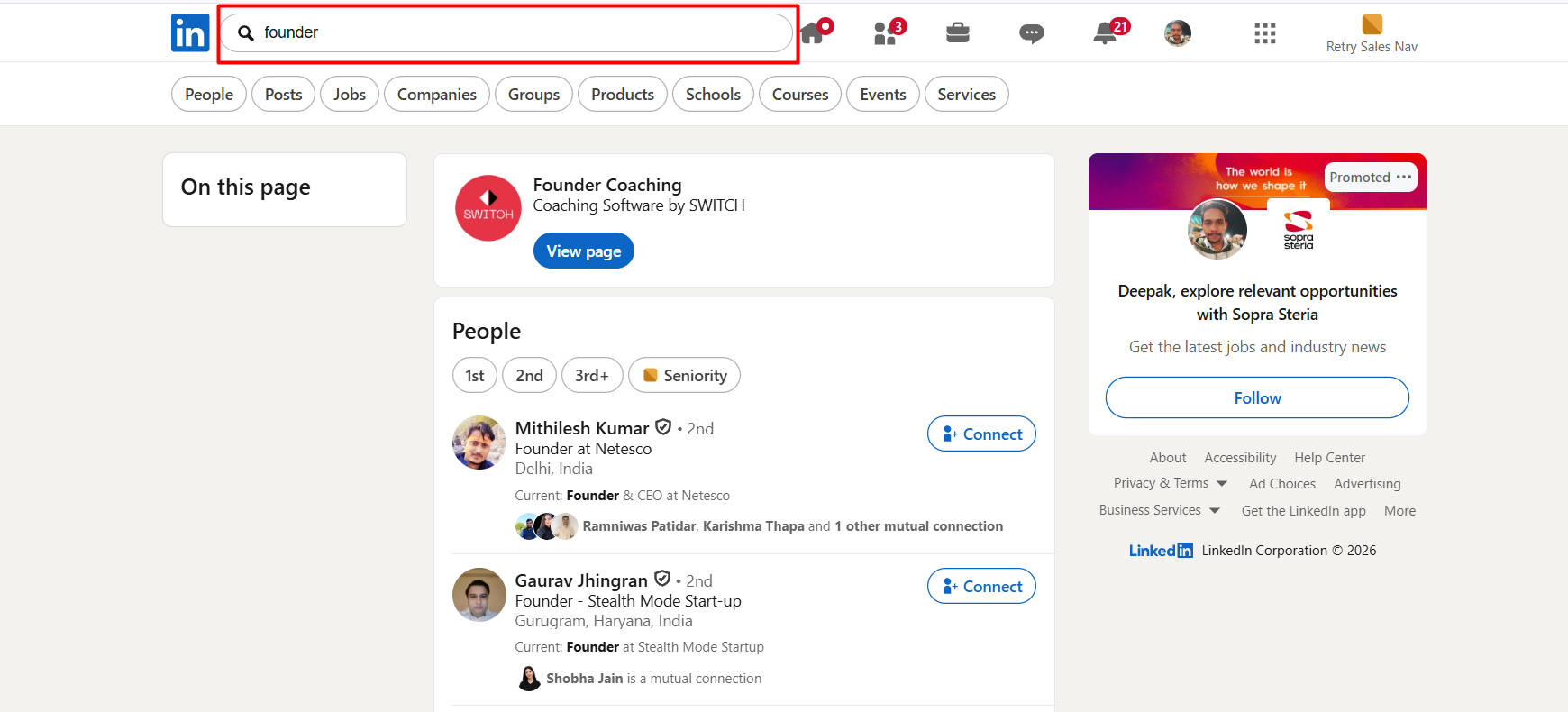
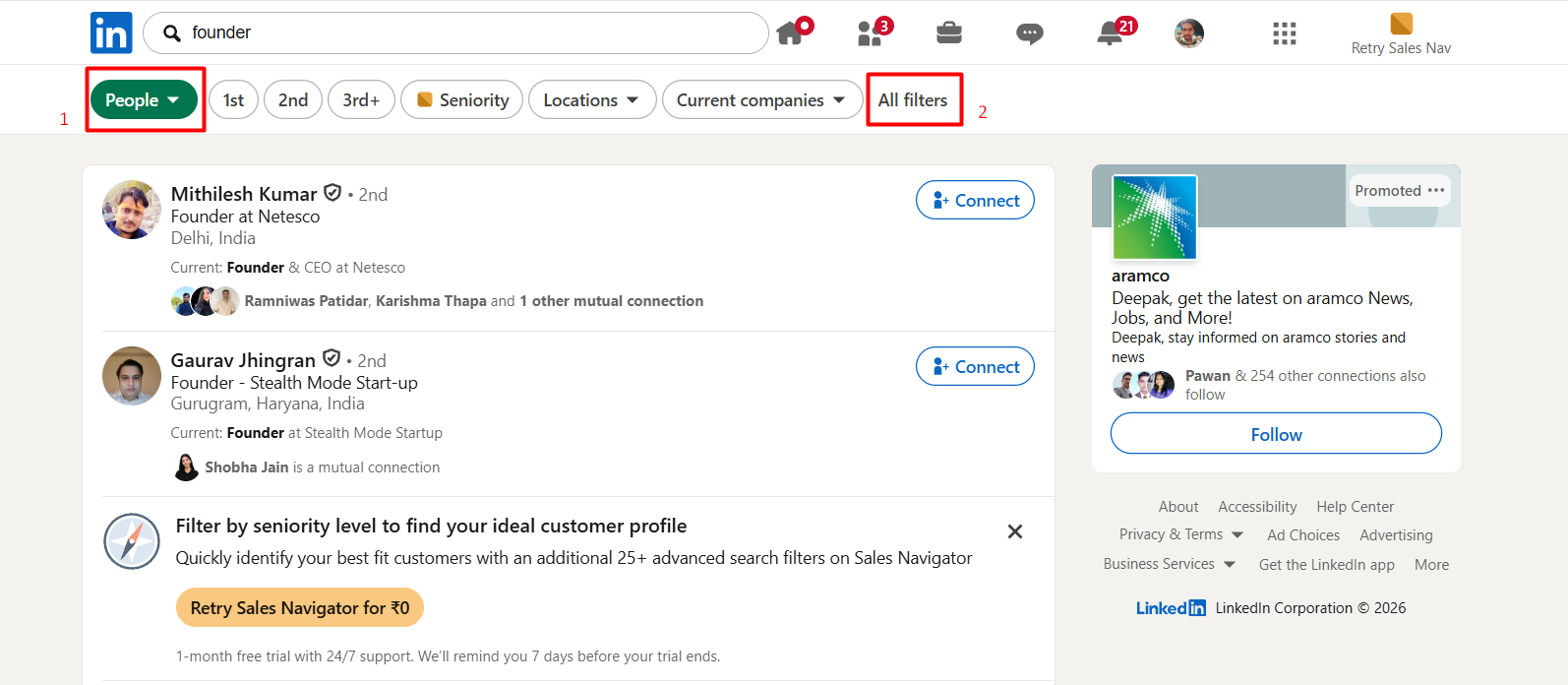
- Click the People tab, then select All Filters to refine your search.
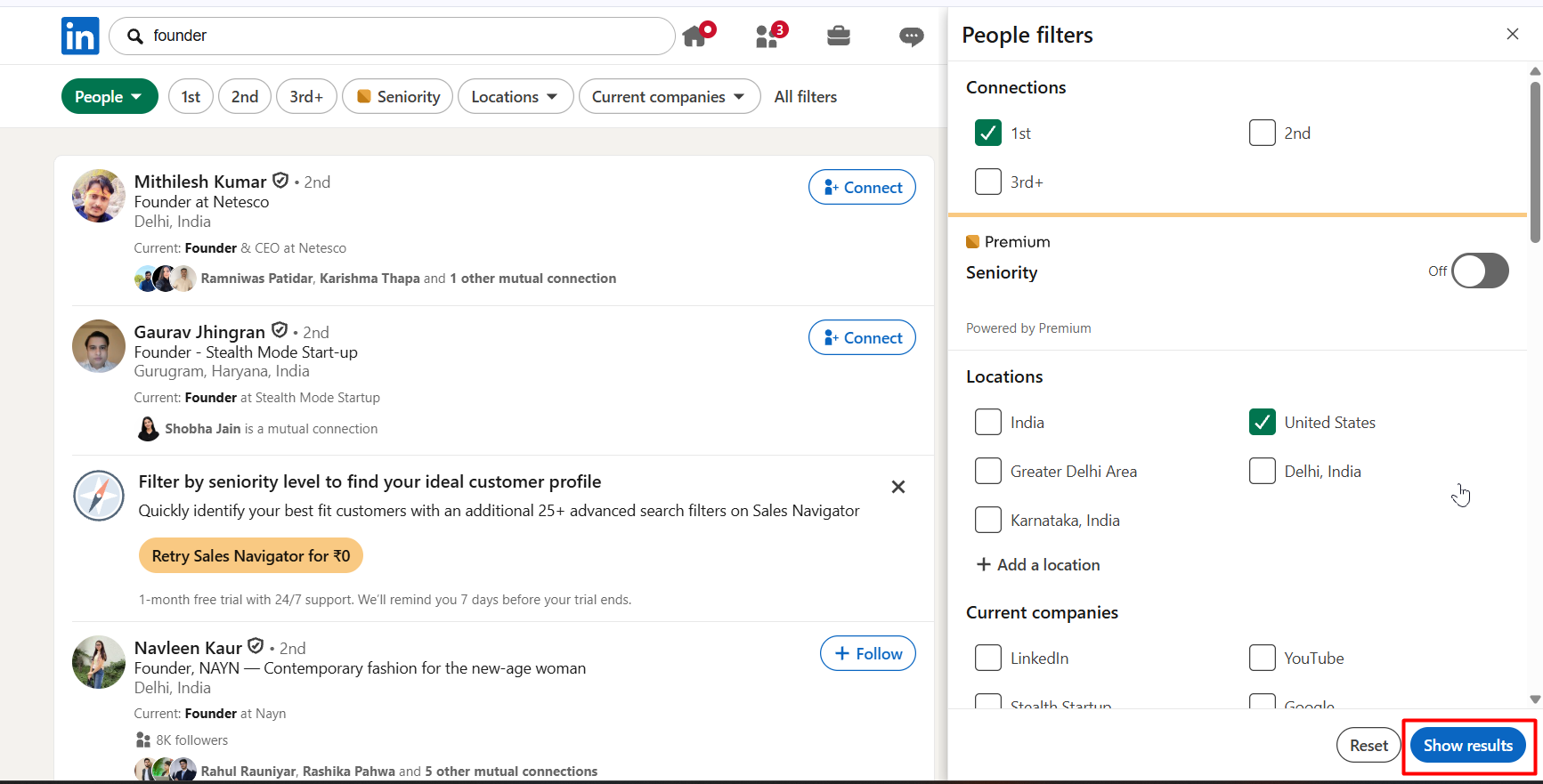
- Apply the filters that match your ideal audience, such as location, industry, job title,
company size, or seniority level. When you're ready, click Show results.
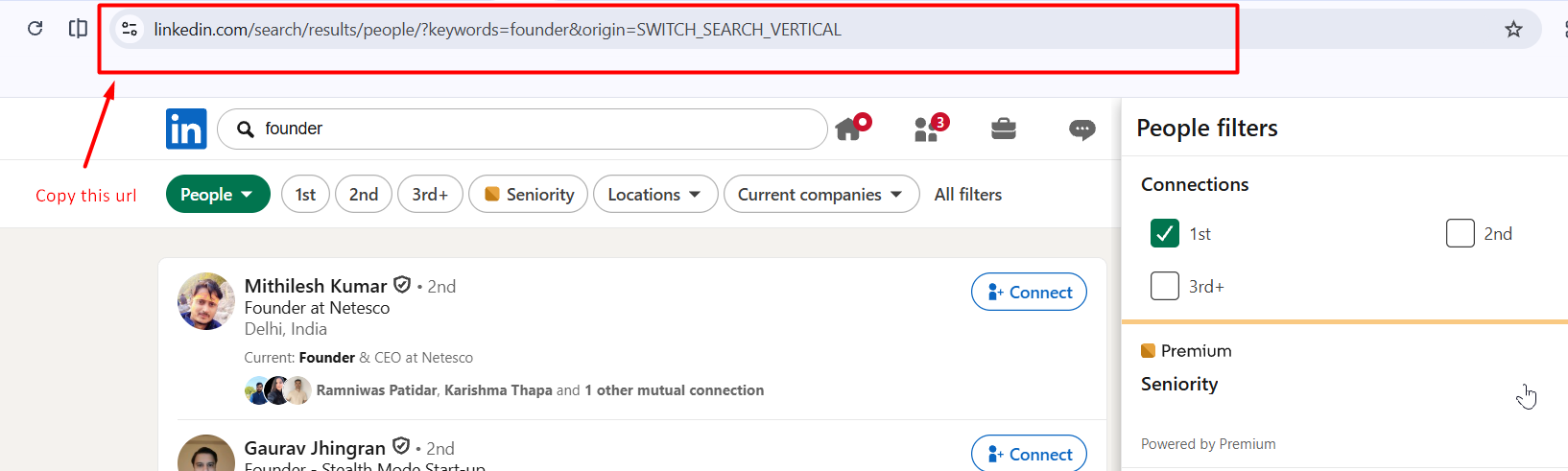
- Copy the URL from your browser's address bar. This is the LinkedIn Search URL that Flowkon will use to import your prospects.
- In Flowkon, navigate to the Prospect page and click the Find Prospect button.

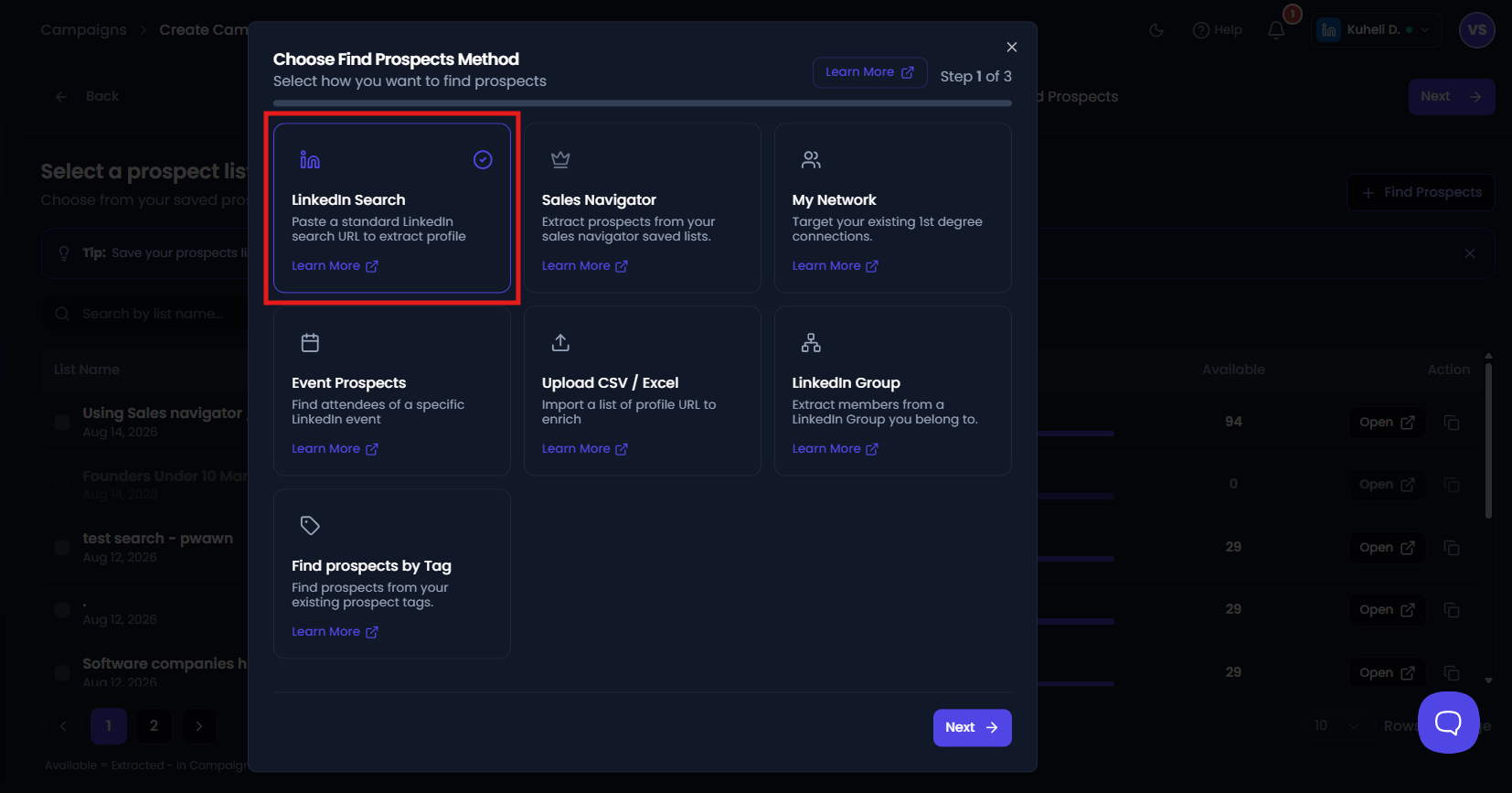
- Choose find prospects method from the available options and click on Next button.
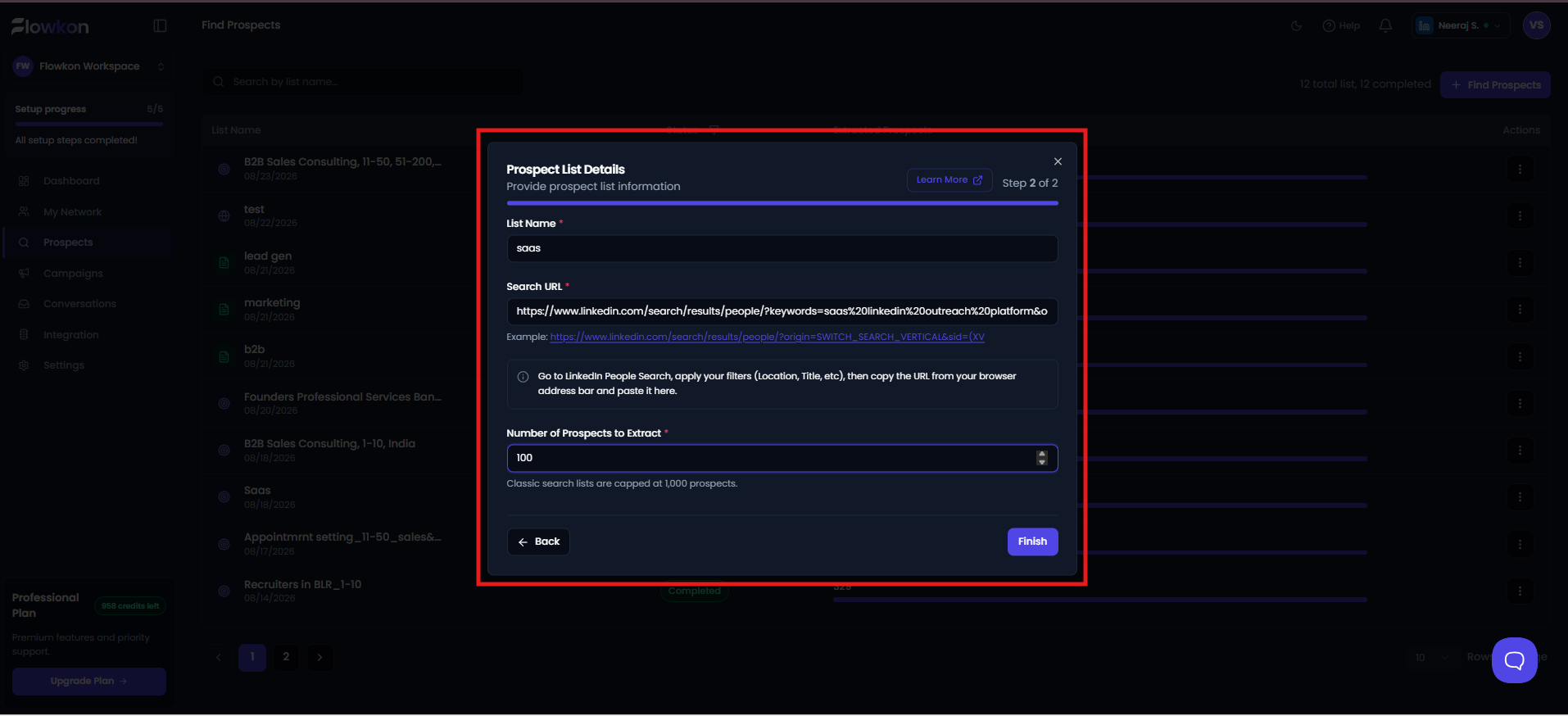
- Paste the LinkedIn Search URL into the input field, enter the list name. You will get the option to extract prospects enter a specific prospect count to extract and then click on Finish button.
- After that Flowkon will begin retrieving the profiles from your LinkedIn search.
- Now the prospect list will start retrieving results, and once it's done the status will update as Completed. You can use that prospect list in the campaign.