How do I connect Monday.com to Flowkon?
The Monday.com integration allows you to connect your Monday workspace with Flowkon, making it easy to organize and manage your LinkedIn leads inside your existing workflows.
Once connected, Flowkon can synchronize lead information with your Monday boards, helping your team collaborate more efficiently without manually transferring data between platforms.
Purpose and Goal
The Monday.com integration is designed to help you:
- Sync Flowkon leads with your Monday workspace.
- Reduce manual data entry and repetitive tasks.
- Keep your sales and operations teams aligned.
- Customize how data is mapped between Flowkon and Monday.
- Centralize lead management and workflow tracking.
Before You Connect
Before setting up the integration, make sure that:
- You have an active Monday.com account.
- You have permission to install applications or authorize integrations within your Monday workspace.
- You have access to the Flowkon workspace where you want to enable the integration.
Follow the steps below to connect Monday.com to Flowkon:
- Open Integrations Page in Flowkon. Locate the Monday integration card and click on Connect Monday button.

- A Monday.com authorization window will open. Sign in to your account and approve the requested permissions.
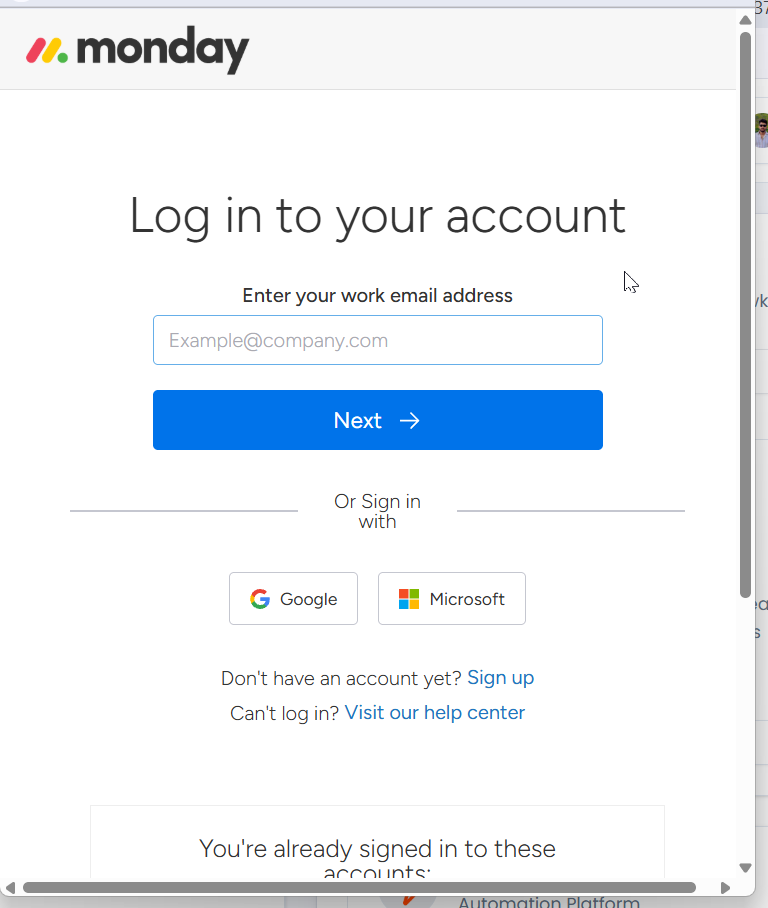
- After successful authorization, you will be redirected back to Flowkon, and the integration will display a Connected status.
Field Mapping
After connecting Monday, you can configure Field Mapping to determine how Flowkon data is synchronized with your Monday board columns.


Field Mapping allows you to match Flowkon fields with the corresponding columns in your workspace.
For example, you can map:
- First Name
- Last Name
- Email Address
- Company Name
- Job Title
- LinkedIn Profile URL
- Location
You can update these mappings at any time by opening the Monday.com integration and selecting Field Mapping.
Managing Your Integration
Once connected, the Monday.com integration provides several management options.
Edit Monday.com
Click Edit on the Monday.com integration card to manage your existing connection.
From here, you can:
- Change your connected Monday.com account
- Reconnect Monday.com
- Disconnect Monday.com


Disconnect Monday.com
If you no longer wish to use Monday.com with Flowkon, you can disconnect the integration.
Important
Disconnecting Monday.com will:
- Stop future synchronization between Flowkon and Monday.com.
- Prevent new leads and contacts from being synced to Monday.com boards.
- Stop updates from being sent to connected Monday.com items.
- Leave all existing records and board items in Monday.com unchanged.
No previously synchronized items will be deleted from your Monday.com workspace.
Why Use the Monday.com Integration?
Connecting Monday.com with Flowkon helps your team:
- Keep lead information organized across platforms.
- Eliminate manual copying and importing of data.
- Improve collaboration between sales and operations teams.
- Maintain a single, up-to-date workflow for prospect management.
- Save time by automating routine administrative tasks.
By integrating Flowkon with Monday.com, your team can manage outreach and internal workflows from one connected ecosystem, making it easier to track prospects and coordinate next steps.