How to invite team members to a workspace in Flowkon?
You can invite team members to your Flowkon workspace and assign them a specific workspace and role.
Steps to Invite a Team Member
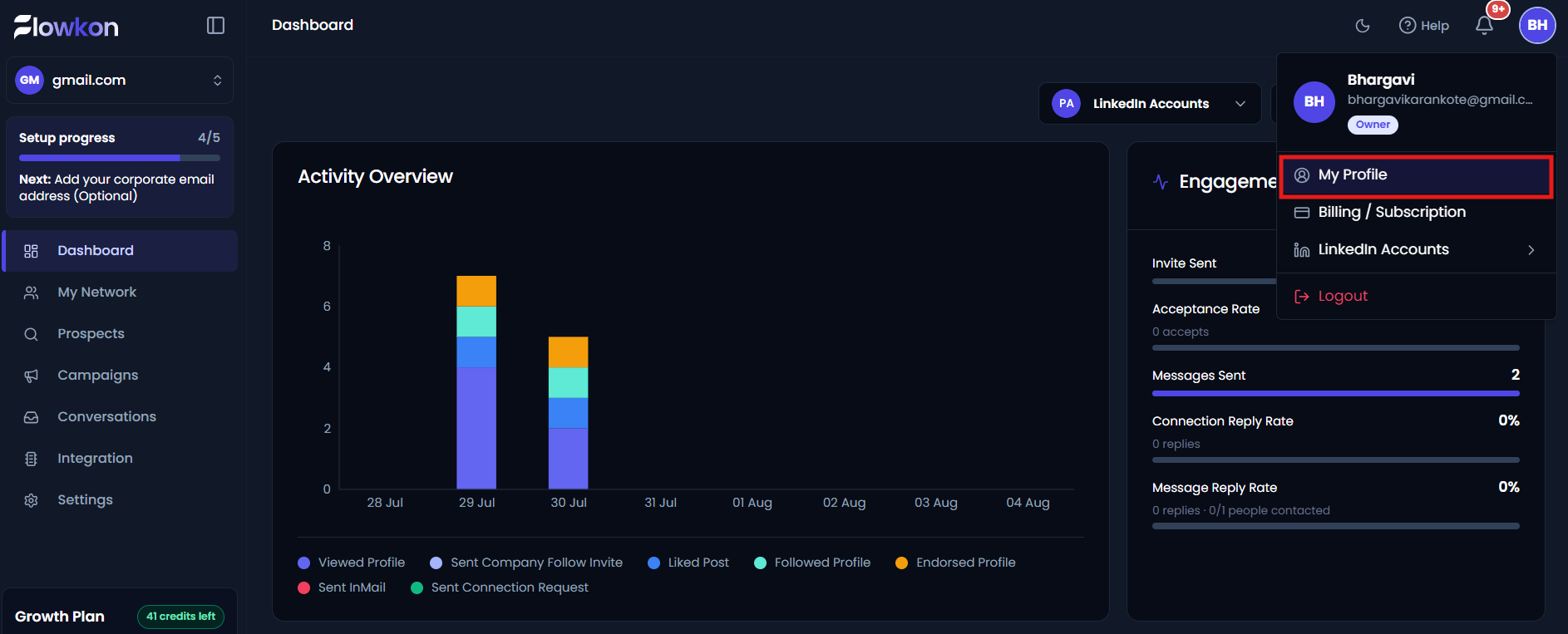
- Click on Profile.

- Click on My Profile.
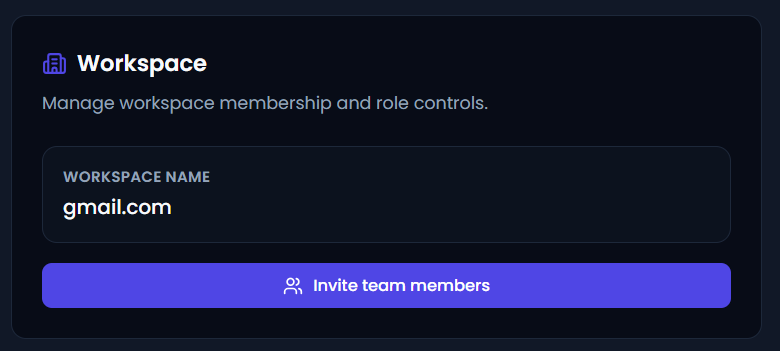
- In the Account and Profile page Click on Invite Team Members.
- Enter the email address of the person you want to invite. Select the Workspace you want to add them to. Select the appropriate Role for the team member. Send the invitation.
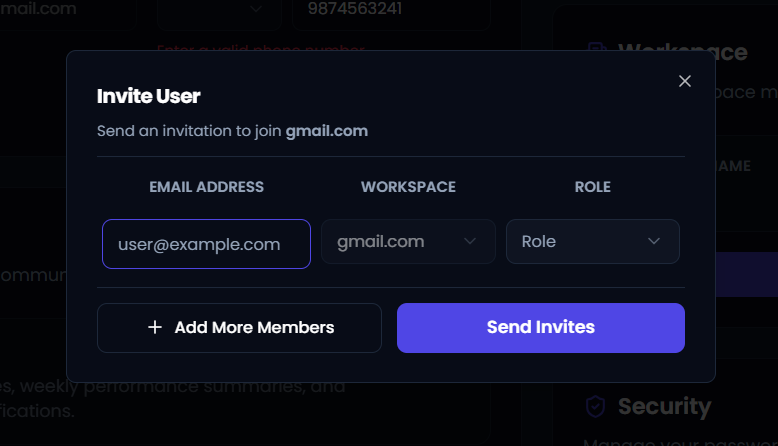
The invited team member will receive an invitation to join the selected workspace with the assigned role.