How to create a workspace?

The workspace can be created from two different places within Flowkon, making it easy to set up and manage your work environment based on your workflow. 

  1. From the Workspace tab available in the sidebar 

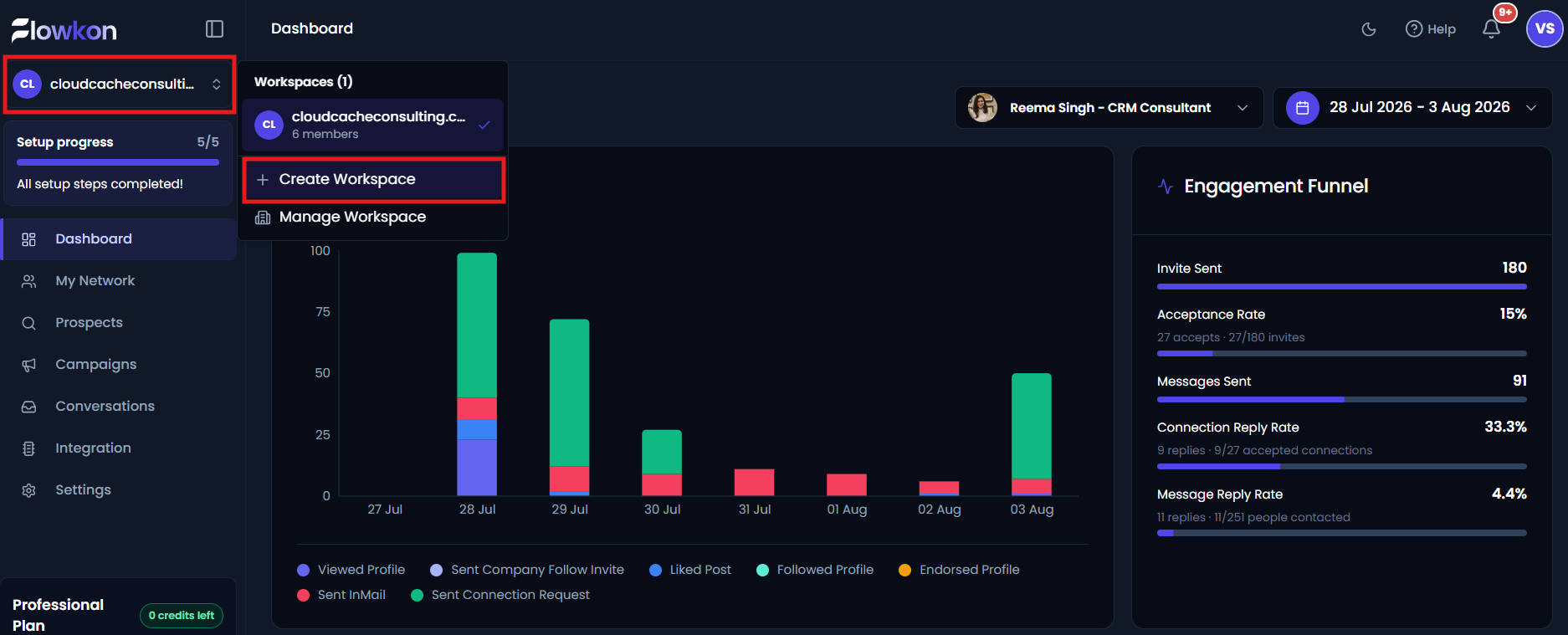
To create a workspace in Flowkon, go to the Workspace tab from the left sidebar and click on the Create Workspace button.

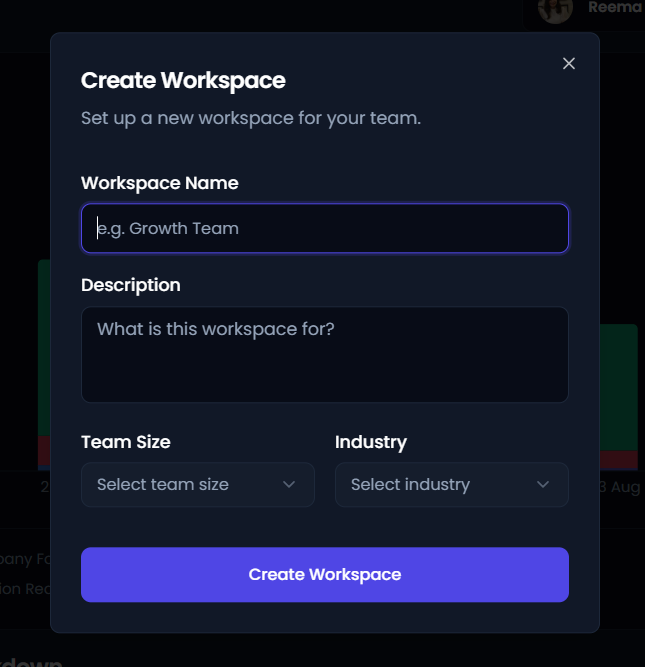
After clicking on the workspace creation option, you will need to enter the required details such as the Workspace Name, Description, Team Size, and Industry. These details help define and organize your workspace based on your team and business requirements. Once all the necessary information has been filled in, click on the Create Workspace button to complete the setup. The new workspace will then be successfully created and ready for use. 
  1. Directly from the navigation bar at the top of the platform 

Navigate to the navigation bar available at the top of the platform. Click on the Create Workspace option.

Enter the required details such as:

  • Workspace Name
  • Description
  • Team Size
  • Industry

After filling in all the details, click on the Create Workspace button. The workspace will then be successfully created.

Did this answer your question? Thanks for the feedback There was a problem submitting your feedback. Please try again later.

Still need help? Contact Us Contact Us