How to navigate to my profile?
To access your profile settings in Flowkon, click on the Profile icon available in the navigation bar.
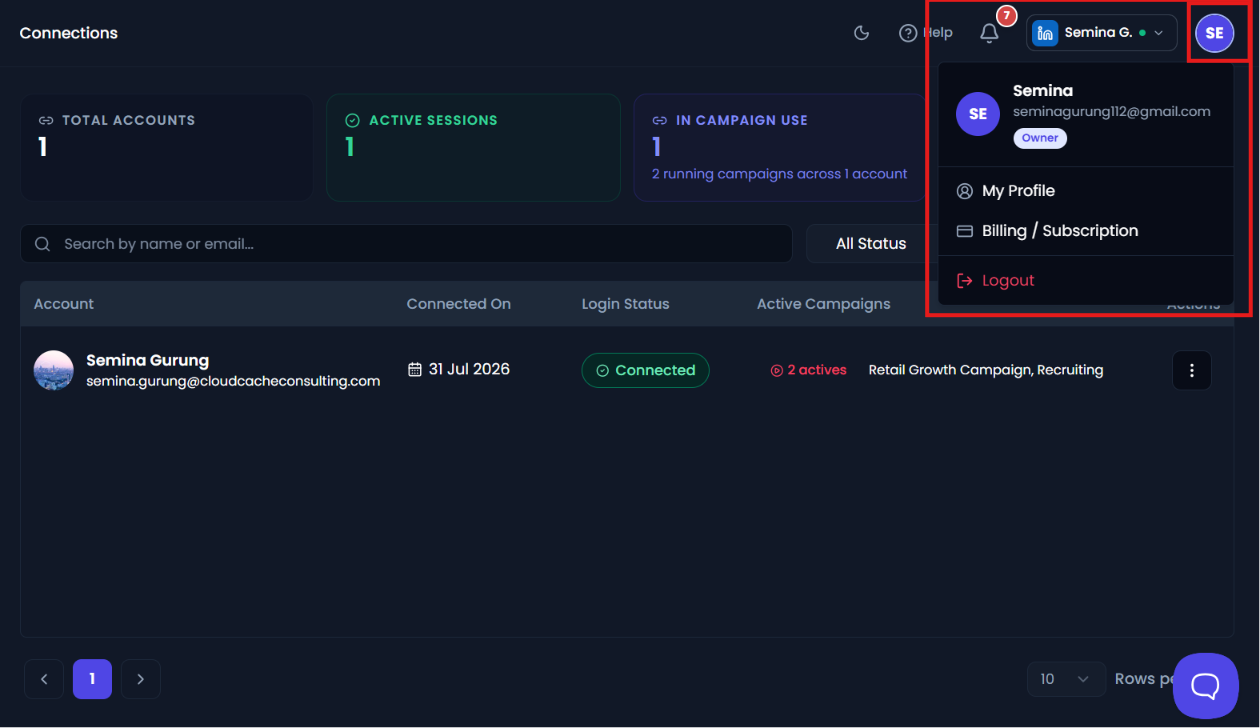
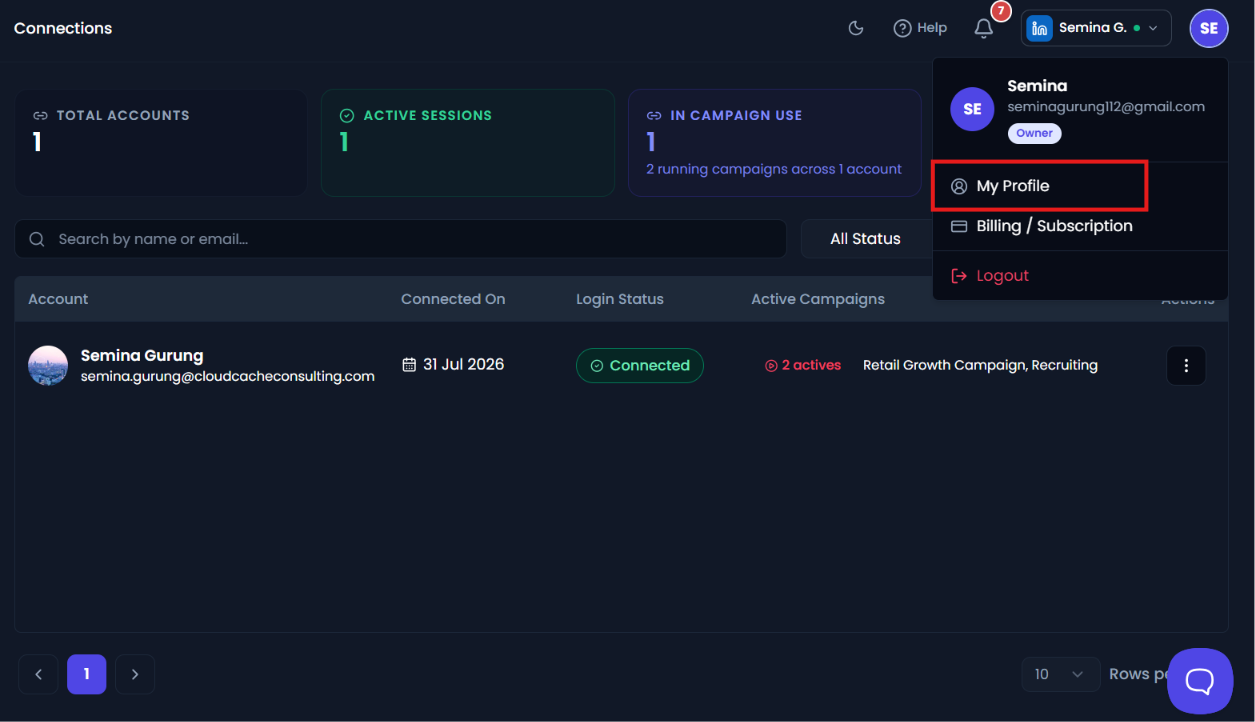
After clicking on the profile icon, a dropdown menu will appear. From the available options, click on My Profile.
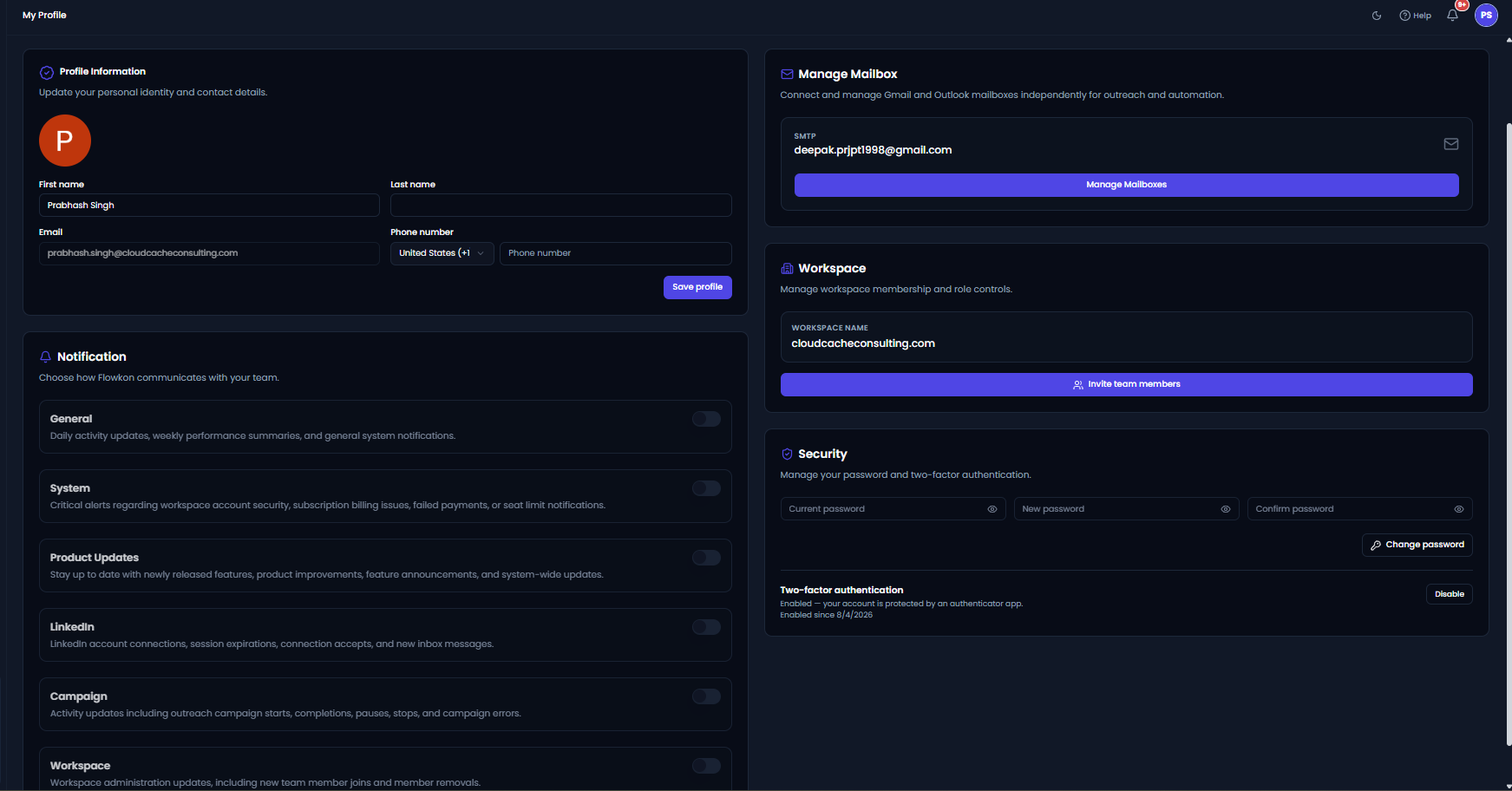
Once selected, you will be redirected to the My Profile page where you can access and manage different account-related sections such as:
- Profile Information
- Workspace
- Notifications
- Manage Mailbox
- Security
These sections allow you to manage your personal details, workspace access, mailbox connections, account security, and notification preferences from one place.