How to add and remove all prospects from the campaign?
Once the campaign is created follow the steps below to add all the prospects into the campaign.
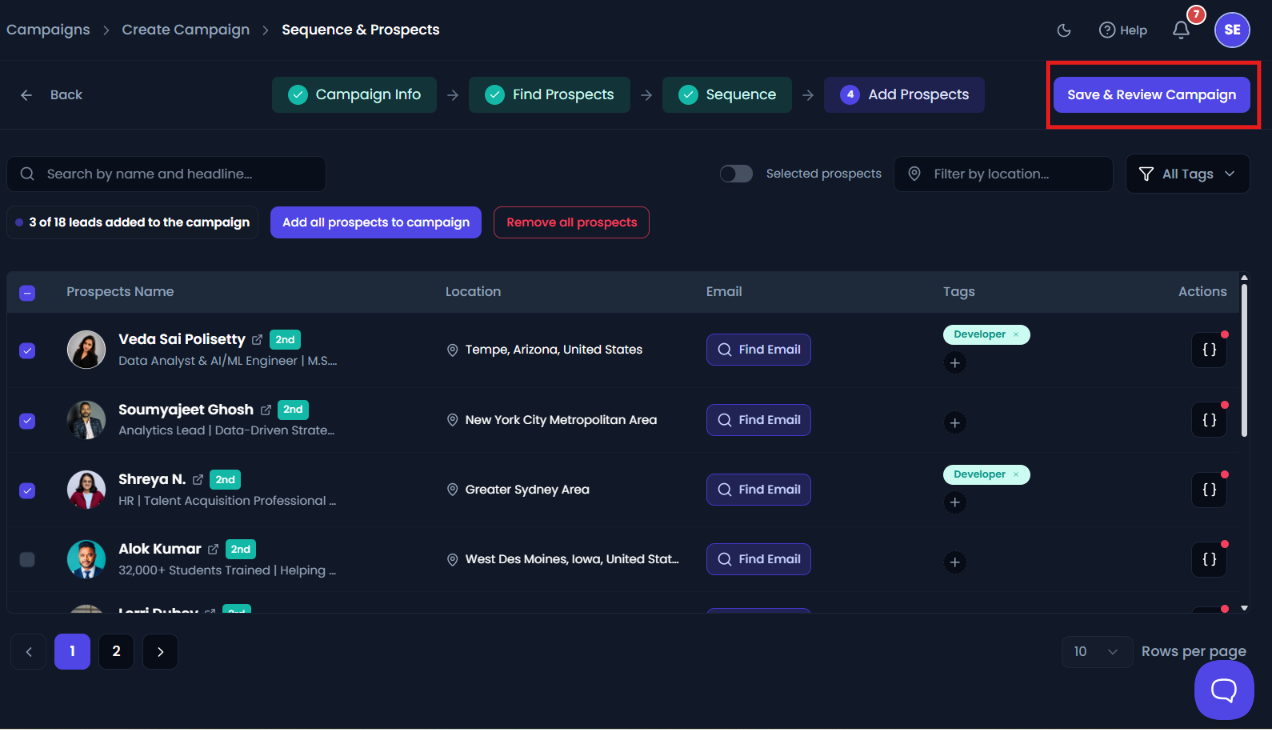
- Click on the prospects tab there you can see all the prospects.
- Click on add all prospects to campaign to add all the prospects into the campaign.

Then click on Save & Review Campaign.
To remove all prospects from the campaign
Once the campaign is created follow the steps below to add all the prospects into the campaign.
- Click on the prospects tab there you can see all the prospects.
- Click on remove all prospects to remove selected prospects from the campaign.
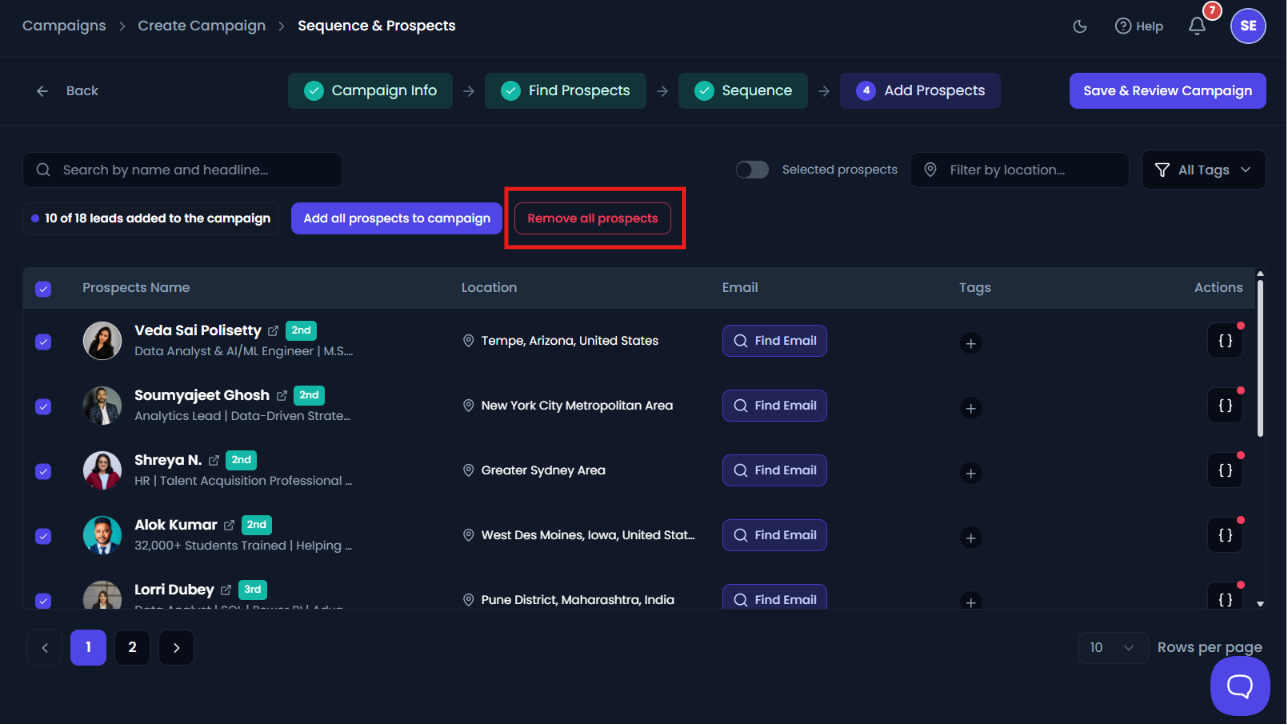
- Click on Save and Review Campaign.