How to add message in follow-up node?
If an action node displays a yellow exclamation mark (!) in the top-right corner, it means that the node requires additional configuration, such as adding a message.
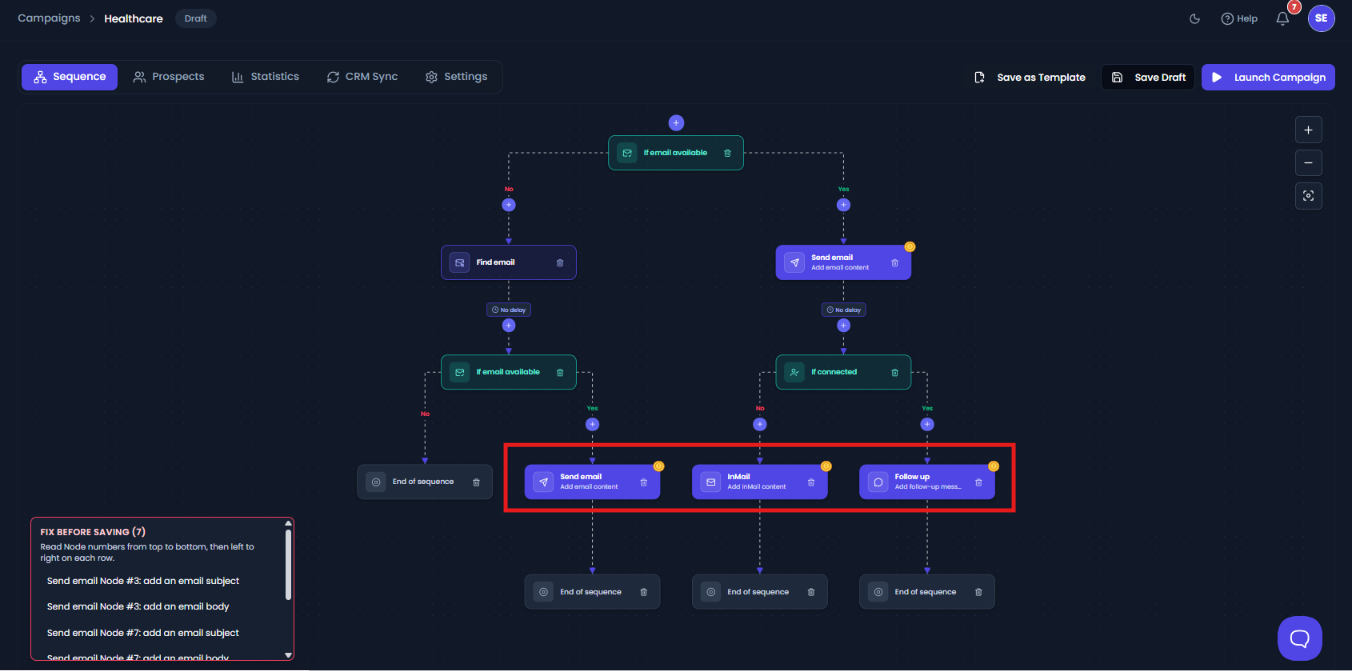
To configure the node:
- Click the action node with the yellow exclamation mark. A configuration drawer will appear on the right side.
- In the Message Body section, enter the message you want to send to your prospect.
- You can personalize your message by inserting available variables. To add a variable, simply type / and select the required variable. You can also add variables wherever needed.
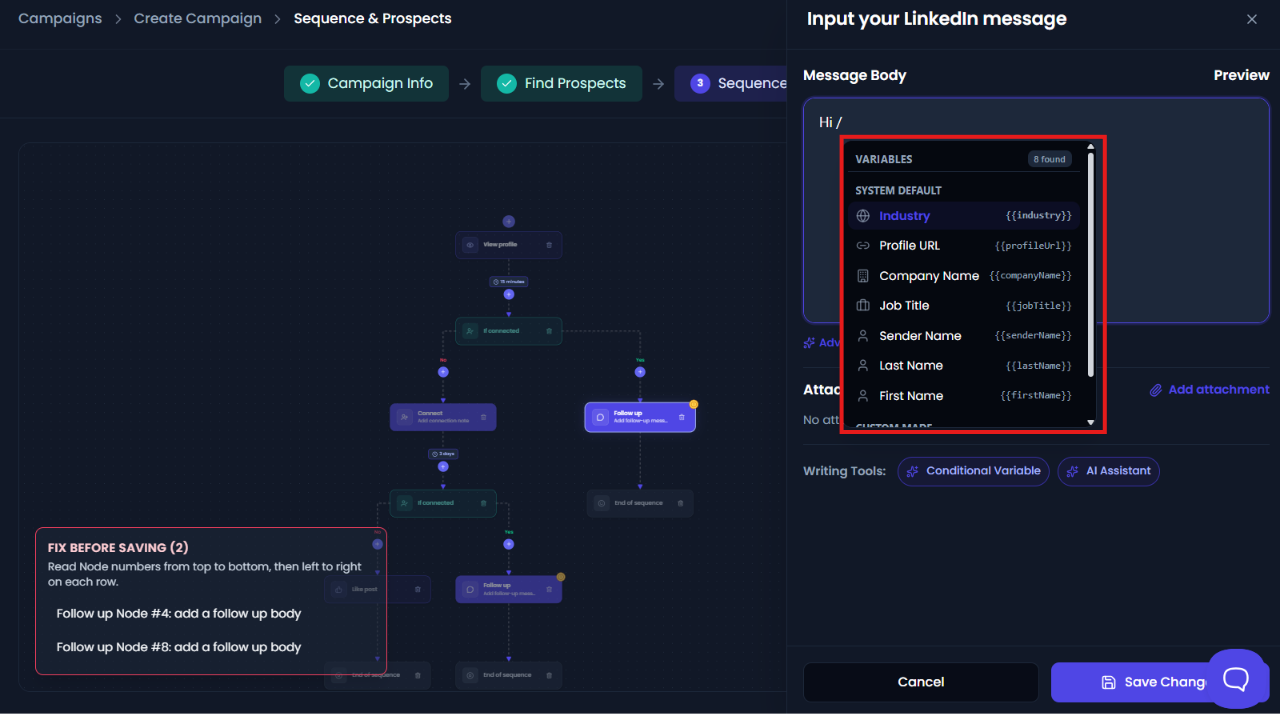
- Once you have completed the message, click Save Changes to save the node configuration.

After saving the required message, the yellow exclamation mark will be removed, indicating that the node has been properly configured.