How can I blacklist a prospect in Flowkon?
The Blacklist feature allows you to exclude specific prospect from being contacted by any Flowkon campaign. Once a prospect is blacklisted, Flowkon will automatically prevent connection requests, follow-ups, messages, and other automated actions from being sent to that prospect.
When should I use the blacklist?
You should blacklist prospects when:
- The prospect has requested not to be contacted.
- The prospect is already a customer.
- The prospect is a competitor.
- The prospect is not relevant to your business.
- You want to permanently exclude the prospect from all future outreach campaigns.
How to blacklist a prospect
- Click on the Prospects tab.
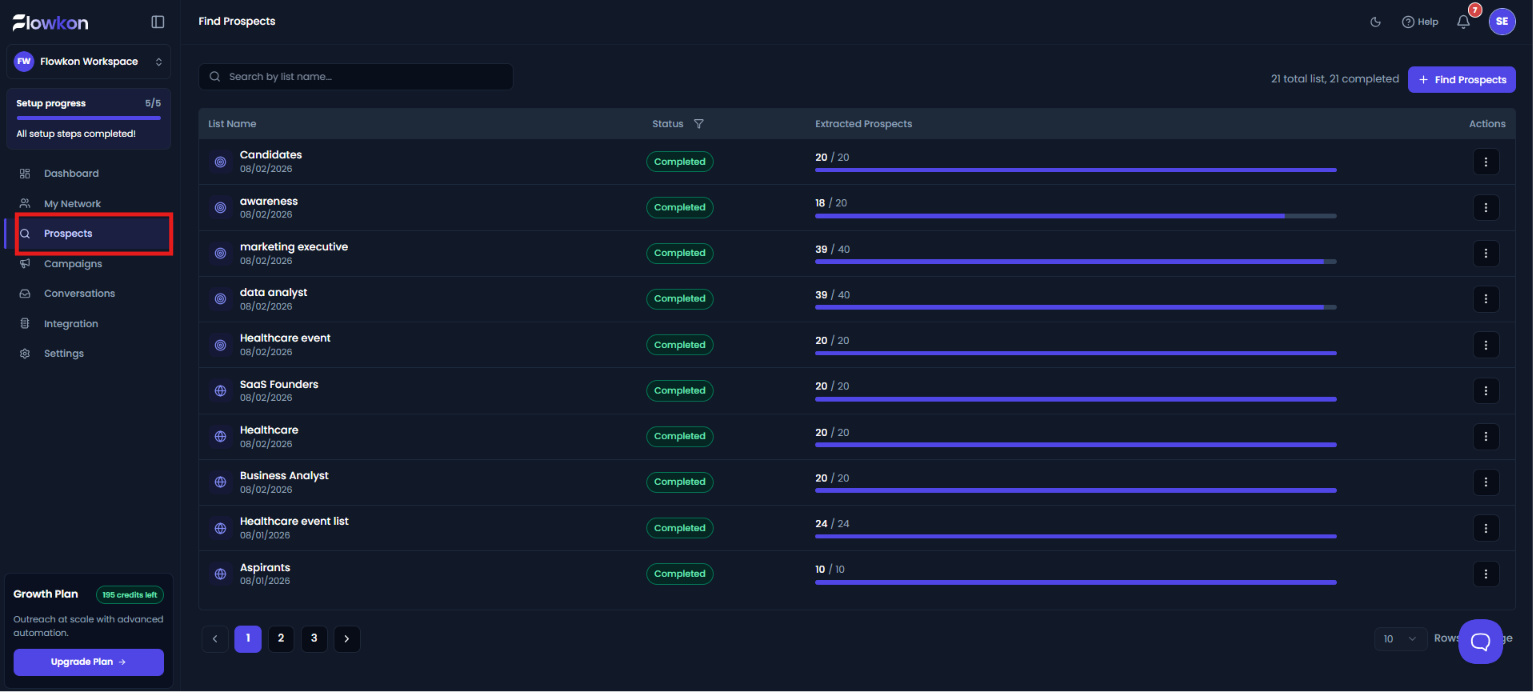
- Select the prospect list in which you want to blacklist a prospect.
- Find the required prospect, and in the Actions column, click the three-dot (⋮) menu. Select Mark as Blacklist from the menu. The selected prospect will then be added to the blacklist.
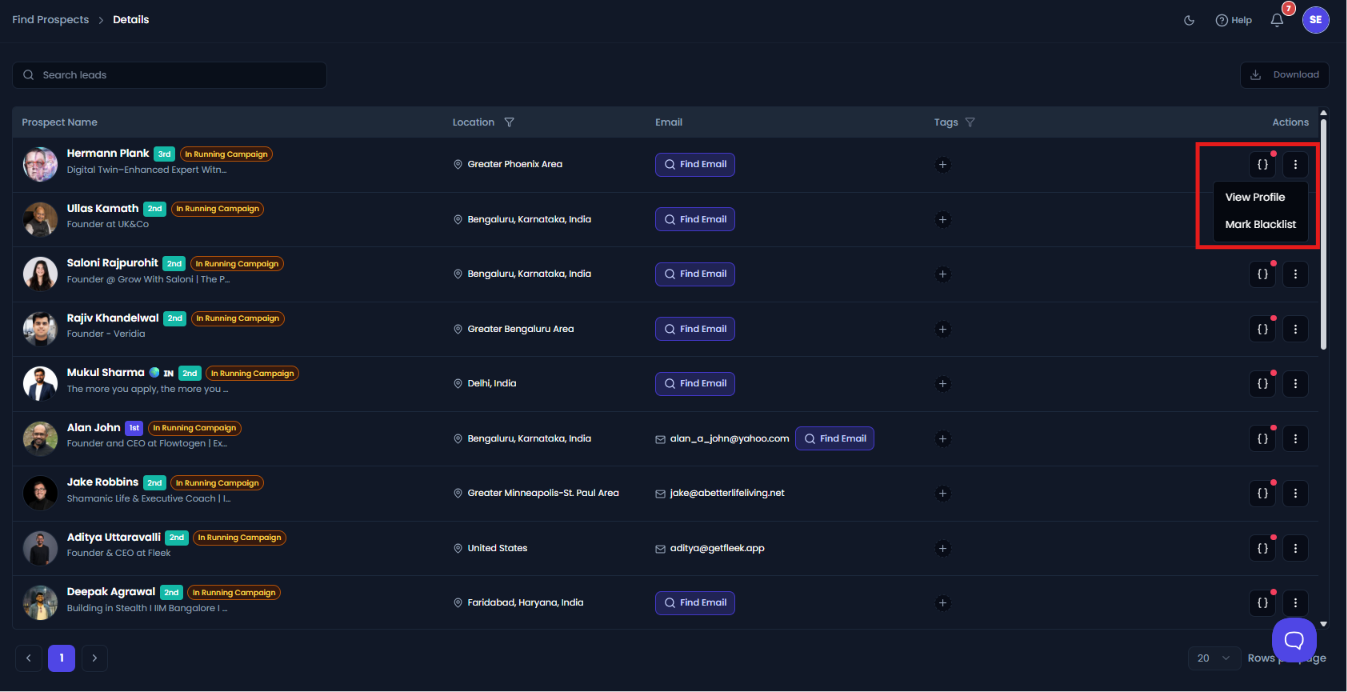
The prospect will immediately be added to your blacklist.
What happens after a prospect is blacklisted?
- The prospect is removed from any active campaign queue.
- No new connection requests will be sent.
- No automated messages or follow-ups will be triggered.
- The prospect will be skipped during future campaign executions.
- The prospect remains visible in your CRM for record-keeping purposes.
Can I remove a prospect from the blacklist later?
Yes. You can go to the Blacklist section, locate the prospect, and click Remove from Blacklist. Once removed, the prospect can again be added to campaigns and contacted through Flowkon automation.
Important note
The blacklist is workspace-wide, which means a blacklisted prospect is excluded from all campaigns across the workspace, not just the campaign from which the prospect was blacklisted. This ensures that the prospect is not contacted accidentally from another campaign or LinkedIn account connected to the same workspace.