Where can I find the connected LinkedIn accounts?
First click on the LinkedIn account on the top and then click on Manage LinkedIn accounts and then you redirected to the Connections page.
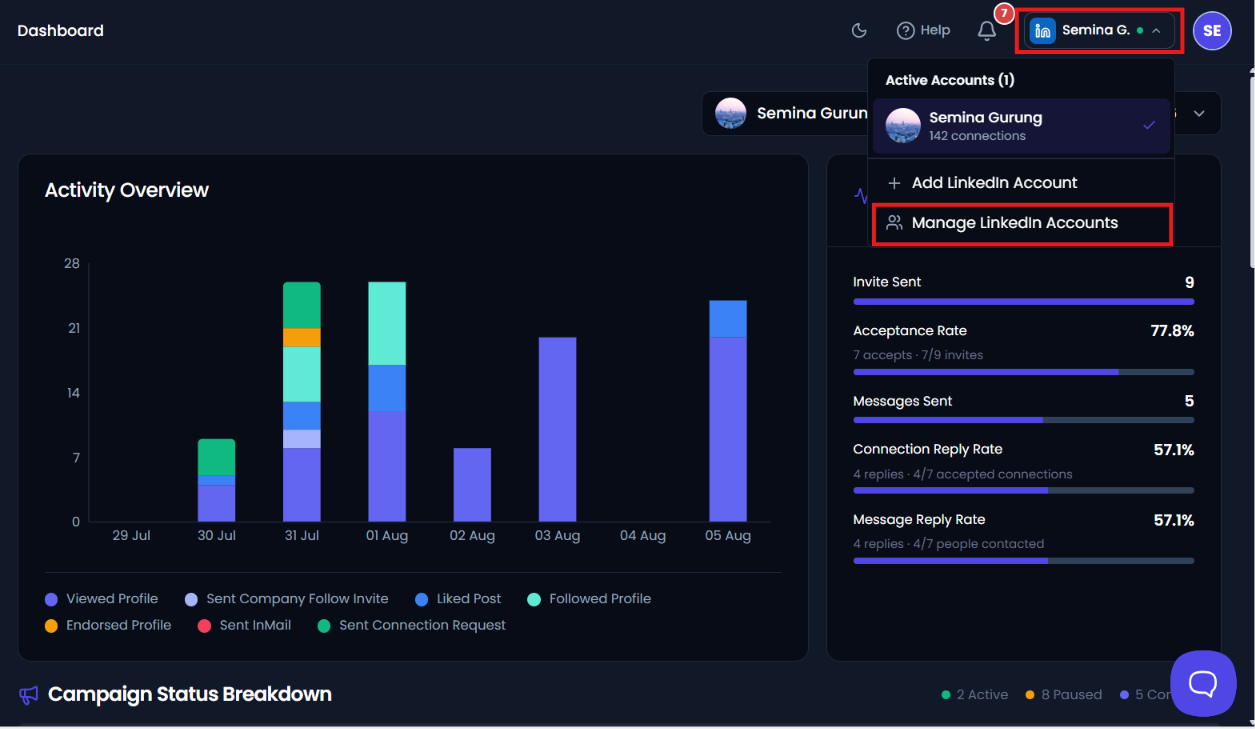
In the Connections page, you can view all the connected LinkedIn accounts available in the system. The page displays the details of each connected account, making it easy to manage and monitor all active connections. At the top of the page, you will find a Search Bar that helps you quickly find a specific account. You can search for an account by entering the account name or the registered email address in the search bar. As you type in the search field, the account list will be filtered automatically based on the entered keyword. This makes it easier to locate and manage a particular LinkedIn account when multiple accounts are connected.
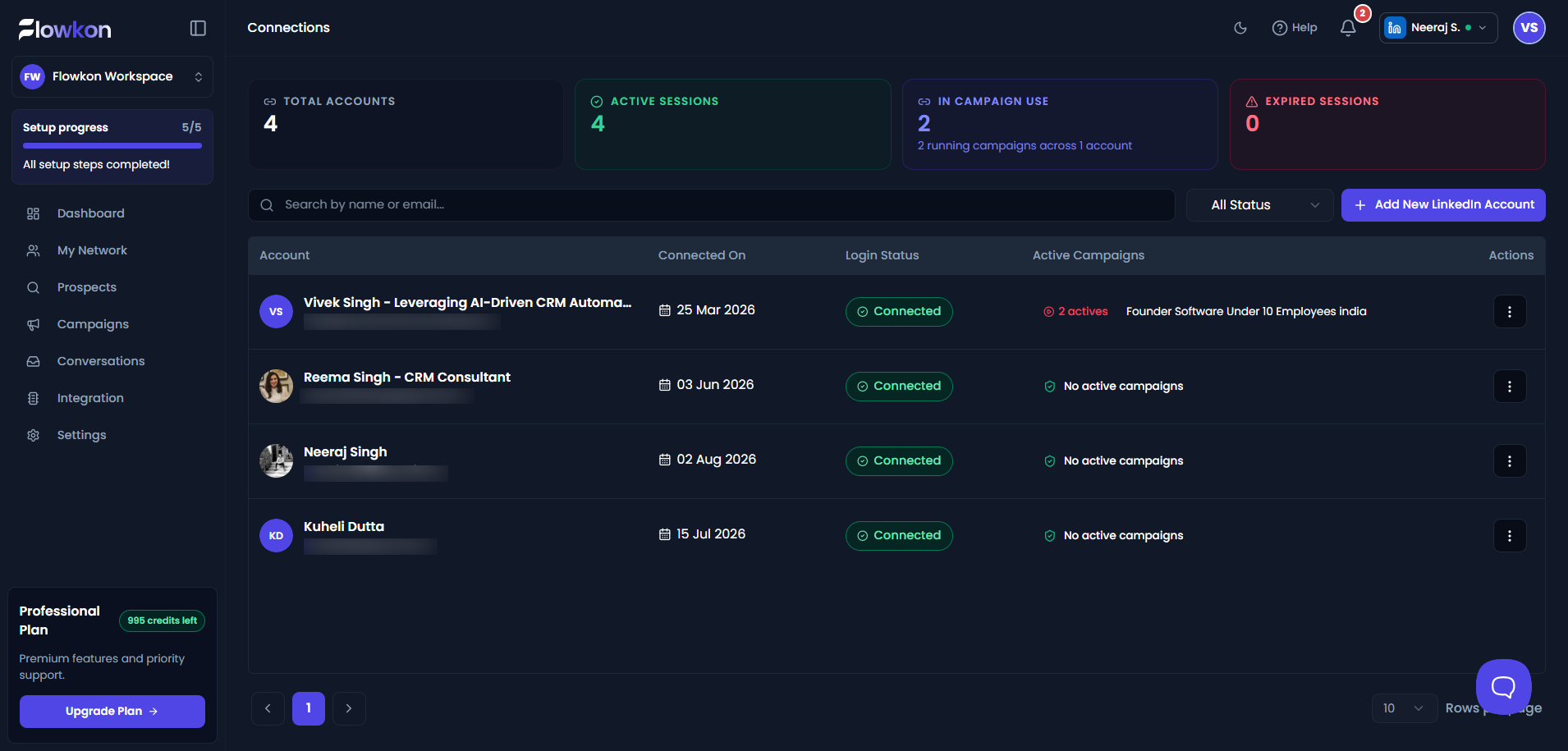
- Total Accounts
This section displays the total number of LinkedIn accounts connected to the platform. It helps you understand how many accounts are currently added and available for campaign activities.

- Active Sessions
This section shows the number of LinkedIn accounts that are currently active and connected successfully. Active sessions indicate that the accounts are ready to use for running campaigns and performing actions.

- In campaign use
This section displays the total number of campaigns currently running across different LinkedIn accounts. It helps you track how many campaigns are actively executing on the platform.

- Expired Sessions
This section shows the number of LinkedIn accounts whose sessions have expired or disconnected. These accounts may require reconnection or login again before they can be used for campaigns.
